FREE Sketch Bucket Icon — Clean, Scalable & Versatile
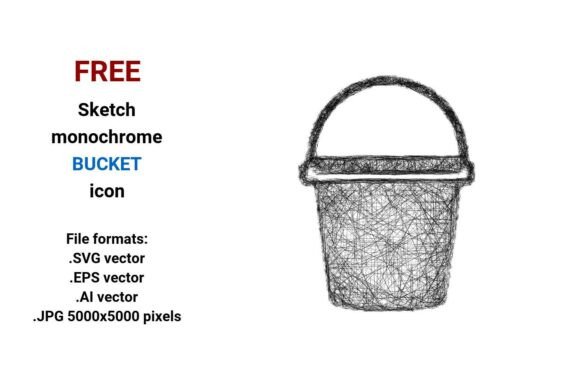
Need a bucket icon that feels human—not robotic? The FREE Sketch Bucket Icon delivers exactly that: a hand-drawn, black-and-white bucket rendered with intentional imperfection—slight wobbles in the lines, subtle hatch marks, and organic rhythm. It’s not polished to sterility. It’s designed to breathe alongside your ideas.
This isn’t just another generic bucket graphic. It’s a cleaning bucket, a water bucket, a symbol of readiness, utility, or even renewal—depending on how you frame it. And because it comes in four professional file formats—.SVG, .EPS, .AI, and high-res .JPG (5000×5000 pixels)—you’re covered whether you’re coding a dashboard, prepping a print brochure, building a UI kit, or designing social assets.
Why a Sketch-Style Bucket Icon Works So Well
A vector image like this one is built from mathematical paths—not pixels. That means whether you scale it to fit a mobile app button or blow it up across a 48" trade show banner, the lines stay crisp, the curves stay smooth, and the sketchy character remains intact. No blurring. No pixelation. Just clarity at any size.
The black-and-white sketch aesthetic serves real functional needs: it’s accessible, fast-loading, and highly adaptable. You can recolor it in seconds inside Figma or Illustrator. Drop it into a dark-mode interface with a light stroke. Layer it over photos without visual competition. Use it as a subtle watermark or a bold navigation element—it holds its own without shouting.
Creative Uses Across Real Projects
Designers and content creators use the FREE Sketch Bucket Icon in ways that go beyond literal interpretation. Here’s how it shows up in practice:
- UI & Dashboard Design: As a bucket button for “save to list,” “add to cart,” or “archive”—especially in productivity tools where a hand-drawn touch softens workflow friction.
- Educational Materials: In lesson plans about water conservation, cleaning routines, or early science concepts—its sketchy line art invites curiosity, not intimidation.
- Small Business Branding: A cleaning service might pair it with a tagline like “We handle the messy parts”—using the icon’s roughness to signal authenticity and hands-on care.
- Blog & Newsletter Graphics: As a recurring visual motif in “toolkit” roundups, resource lists, or seasonal cleaning guides—consistent yet never stiff.
- Printed Resources: On workshop handouts or safety posters, the high-res JPG ensures sharp output on paper—even when photocopied.
Who Benefits—and How They Adapt It
Freelancers and marketers drop the sketch bucket icon into Canva templates or email headers to add warmth to otherwise text-heavy campaigns. They often pair it with short verbs—“Rinse,” “Refill,” “Reset”—turning the icon into a quiet call to action.
UI/UX designers treat it as part of a larger sketchy line icon system—matching stroke weight and rhythm with other hand-drawn elements (like a sketchy faucet, sponge, or droplet) to build cohesive, approachable interfaces. Consistency here isn’t about uniformity—it’s about shared intention.
Teachers and educators use the black white sketch version in editable slide decks. Its simplicity makes it easy to annotate—adding arrows, labels, or thought bubbles directly in PowerPoint or Google Slides without distorting quality.
Bloggers and content creators embed the SVG inline in HTML for fast-loading, responsive icons. Because it’s vector-based and lightweight, it improves Core Web Vitals—no extra HTTP requests or render-blocking images.
Practical Tips for Best Results
Start with purpose—not decoration. Ask: What role does this bucket play? Is it signaling action (“Fill the bucket”), representing category (“Cleaning Tools”), or reinforcing tone (“Thoughtful, not perfect”)? Let that guide placement, sizing, and surrounding design choices.
When layering with color, stick to one or two accent hues max. A single blue stroke on the bucket rim, for example, hints at water without overwhelming the sketch aesthetic. Avoid gradients or heavy shadows—they fight the icon’s hand-drawn honesty.
If you’re building a set of icons, match line weight (1.5–2px works well), spacing, and negative space rhythm—not exact duplication. A scalable sketch icon gains strength from cohesion, not sameness.
For accessibility, always include descriptive alt text if used on the web: “Outline sketch icon of a bucket—used to represent cleaning, water storage, or task organization.” This supports screen readers and reinforces SEO relevance for terms like cleaning bucket icon or water bucket button.
More Than Just an Icon—A Design Decision
Choosing the FREE Sketch Bucket Icon signals something subtle but meaningful: that function doesn’t require formality, and clarity doesn’t demand cold precision. It’s a reminder that the best tools—whether digital or physical—are built to serve people, not impress them.
You don’t need to overthink it. Drop it into your next wireframe. Tweak the stroke in Illustrator. Print it on a sticky note and stick it to your monitor as a reminder: Keep it useful. Keep it human.
And because it’s truly free—with no attribution required—you can test, iterate, and ship faster. No licensing delays. No budget debates. Just a clean, scalable, expressive vector bucket ready when inspiration (or deadline) strikes.