FREE Sketch Pawn Icon: Clean, Scalable, and Ready for Real Projects
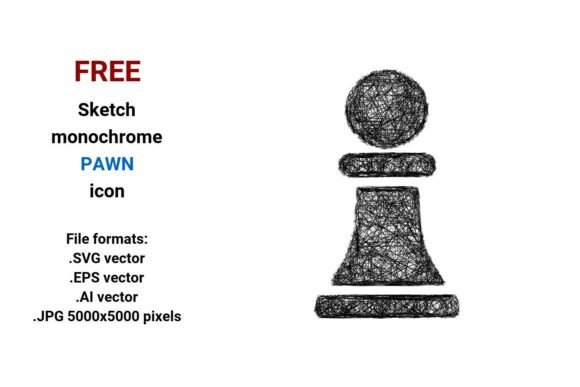
If you're designing a chess app, building an educational website about strategy games, or crafting a creative UI for a board game platform, a well-executed chess pawn icon matters more than you might think. The FREE Sketch Pawn Icon stands out—not because it’s flashy, but because it’s intentionally versatile, editable, and rooted in real design needs. It comes in four formats: .SVG vector, .EPS vector, .AI vector, and .JPG at 5000×5000 pixels. That means whether you’re tweaking paths in Illustrator, embedding in a responsive web interface, or printing on high-res merch, the quality holds up. And because it’s delivered in sketch style—a hand-drawn, monochrome line art aesthetic—it communicates creativity, approachability, and thoughtful design without sacrificing clarity.
Why “Sketch Style” Isn’t Just About Looks
A sketch pawn isn’t just a casual doodle—it’s a deliberate design choice. Unlike photorealistic or heavily shaded icons, a line sketch or scribble icon conveys concept over complexity. It works beautifully as a UI button, a navigation element, or even a subtle visual anchor in a lesson on game strategy. But here’s where many go wrong: assuming “sketchy” means “low effort.” In reality, a strong hand drawn sketch requires precision in stroke weight, balance, and negative space. A poorly executed version can look messy or unprofessional—especially when scaled down to 24×24px in a mobile app toolbar. The FREE Sketch Pawn Icon avoids that pitfall: its curves are intentional, its outline is clean, and its proportions remain legible across sizes.
Common Mistakes—and How to Avoid Them
Mistake #1: Downloading only the JPG and assuming it’s enough.
Many users grab the high-res .JPG 5000×5000 pixels file and call it done—only to discover later that resizing it for a favicon or email header introduces pixelation or blurriness. JPGs are raster-based; they don’t scale infinitely. If your project involves responsive layouts, print materials, or vector editing (like recoloring or combining with other assets), you’ll need the .SVG, .EPS, or .AI versions. Always check which format matches your workflow—not just what opens fastest.
Mistake #2: Overlooking isolation and background handling.
This chess pawn icon is delivered isolated—no shadows, no drop effects, no white fill behind it. That’s ideal for UI integration, but it also means you’re responsible for context. Dropping it onto a busy background without contrast testing? It may vanish. Try placing it on light, dark, and textured surfaces before finalizing. Bonus tip: Use the .SVG version to add subtle CSS filters (like filter: drop-shadow()) for depth—without losing scalability.
Mistake #3: Assuming “free” means “no restrictions.”
While this FREE Sketch Pawn Icon is free to download and use in personal and commercial projects, always verify the license terms (even if it’s CC0 or MIT-style). Some “free” assets require attribution—or prohibit use in logo design. This one doesn’t, but developing the habit of checking prevents legal friction later, especially if you’re a freelancer delivering work to clients.
What to Check Before You Use It
- Stroke consistency: Zoom in on the .SVG or .AI file. Are all lines uniform in weight? Uneven strokes suggest rushed vectorization—this one maintains balanced curves and pen-like flow.
- Editability: Open the .AI or .EPS in Illustrator. Can you select individual anchor points? Adjust handles? Recolor fills or strokes independently? Yes—this pawn vector is fully layered and editable, not flattened or embedded.
- Context fit: Does the rough, artistic sketch icon tone match your brand? A fintech dashboard might benefit from cleaner geometry; a creative workshop site thrives with this expressive scribble icon energy. Ask: “Does this support my message—or distract from it?”
- Export readiness: For web use, export the .SVG with minimal code (no excess metadata). Tools like SVGOMG help optimize file size without sacrificing quality—critical for fast-loading pages.
Better Choices Start With Intentional Use
Let’s say you’re building a chess tutorial site for beginners. You want learners to feel invited—not intimidated. A polished, sterile icon might communicate authority but miss warmth. A handdrawn pawn icon says, “This is approachable. You can learn this.” Pair it with a short animation on hover (via CSS or Lottie), and you’ve added interactivity without bloat. Or imagine a freelance designer using the .AI file to customize the pawn into a branded mascot—extending the same stroke language into a full character set. That flexibility is why professionals reach for true vector image assets: they’re not static elements, but foundational tools.
Another real-world example: An educator creating printable strategy worksheets downloads the .EPS version, places it in InDesign, and scales it to 3 inches tall—no loss in sharpness. Meanwhile, their colleague uses the .JPG in a slide deck, only to find it blurry when projected. Same icon. Different format choices. Different outcomes.
Final Thought: Quality Isn’t in the Price Tag—It’s in the Details
The FREE Sketch Pawn Icon delivers more than convenience. Its monochrome, outline-based design ensures accessibility (great color contrast ratios), its line art style supports fast recognition, and its multi-format availability respects how real people work—across software, devices, and goals. What makes it genuinely useful isn’t that it’s free, but that it’s built with care: every curve, every stroke, every file type serves a purpose. So before you drop it into your next project, take ten seconds to open the .SVG in a browser, zoom to 800%, and trace the shape with your eyes. Notice how the base flares just enough for stability. How the crown sits centered—not heavy, not timid. That’s the difference between decoration and design.