Independent Trading PRM2500 Hoodie Mock
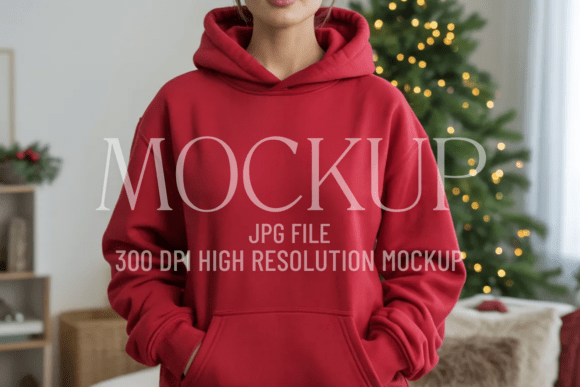
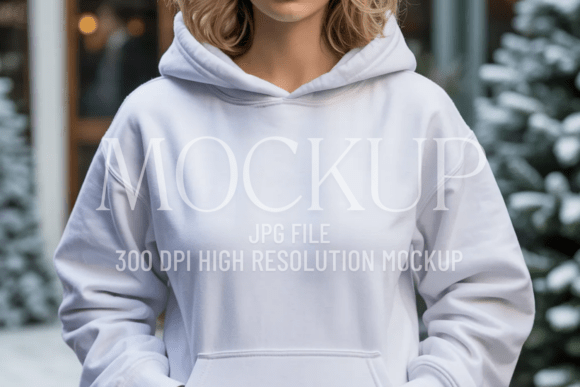
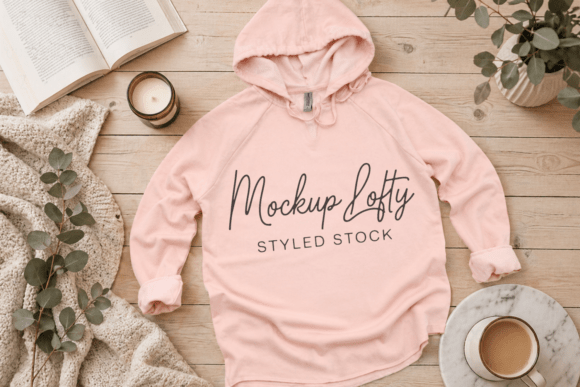
If you're designing for streetwear, launching a small apparel brand, or preparing client presentations, the Independent Trading PRM2500 Hoodie Mock is more than just another template—it’s a precision tool for clarity and credibility. This mockup features the clean lines and relaxed drape of the Independent Trading Co. PRM2500 unisex hoodie: a 8.5 oz., 50/50 cotton-poly blend with a soft hand-feel, dropped shoulders, and an intentionally oversized silhouette. What sets this JPEG mockup apart isn’t just its realism—it’s how thoughtfully it removes distractions so your design takes center stage.
Why Designers Reach for This Mockup (and Why It Often Gets Misused)
Many creators choose the PRM2500 mockup expecting instant polish—only to discover their final visuals feel flat, mismatched, or unintentionally amateurish. That’s rarely the mockup’s fault. More often, it’s a misalignment between expectation and execution. For example, some assume “high-resolution” means any design will scale cleanly—then drop a low-DPI logo into the smart layer and wonder why edges blur or textures pixelate. Others overlook the mockup’s neutral beige tone and grunge-adjacent texture, applying bold neon gradients that clash with the garment’s earthy, lived-in aesthetic. The result? A presentation that feels disjointed—not minimal and professional, but visually confused.
Avoiding the “Too Generic” Trap
One of the most common oversights is treating this mockup as interchangeable with any other blank hoodie template. The PRM2500 has distinct physical traits: slightly slouched ribbed cuffs, a subtle front pocket crease, and a collar that sits lower than standard Gildan or Bella+Canvas fits. When designers ignore those details and force in artwork meant for tighter, more structured hoodies, proportions look off—logos appear stretched across the chest or awkwardly cropped at the hem. Worse, it undermines brand consistency. If your real-world product uses the PRM2500, your mockups should reflect its exact drape, not approximate it.
Here’s a better approach: Before placing your design, study the mockup’s natural shadows and fabric folds. Notice how light falls across the front panel—not uniformly, but with gentle variation near the pocket and sleeve seams. Use that information. Adjust your design’s contrast and saturation to harmonize with those tones instead of fighting them. A muted sage green or warm oat works seamlessly; electric violet may need intentional tonal balancing to avoid visual shouting.
The Hidden Cost of Skipping File Prep
This mockup arrives as a high-resolution JPEG at 300 DPI—ideal for print-ready presentations and web use—but only if your source file matches its technical demands. We’ve seen users import 72 DPI PNGs, apply heavy filters in non-destructive layers, then export without flattening—only to find text appears fuzzy or gradients band. That’s not a flaw in the mockup; it’s a workflow gap. JPEGs don’t support transparency or layered effects. If your design includes drop shadows, glows, or textured overlays, those must be fully rasterized *before* placement—or applied using the mockup’s built-in smart object instructions (if provided).
Realistic example: A freelance merch designer used this mockup for a Shopify store launch but forgot to convert her Illustrator logo to RGB and embed fonts. The result? Slight color shifts and jagged type on mobile previews. Fix: Always preview at 100% zoom, check color mode (RGB for digital, CMYK only if printing directly), and outline all fonts before exporting your design file.
What to Verify Before Downloading or Buying
Before adding the Independent Trading PRM2500 Hoodie Mock to your cart or library, ask yourself three things:
- Is the lighting consistent with your brand’s mood? This mockup uses soft, even front lighting—ideal for minimalist, boho, or neutral streetwear aesthetics. It’s less suited for high-contrast, dramatic editorial shots.
- Does the angle match your use case? It’s a flat-lay front view—no side or back angles included. If you need 360° presentation, this isn’t the solution (and no, rotating the JPEG won’t convincingly simulate depth).
- Are your design dimensions precise? The mockup’s smart object placeholder expects artwork sized to fit the visible chest area without distortion. Measure the safe zone in pixels first—don’t guess.
When “Oversized” Isn’t Just a Style Choice—It’s a Fit Commitment
The PRM2500 is genuinely oversized—not just “relaxed fit.” That affects how designs land. A centered chest logo that looks balanced on a standard-fit hoodie may appear too high or cramped on this cut, because the front panel is wider and the shoulder seam drops lower. Similarly, full-back prints need extra breathing room toward the yoke. Creators who skip a quick test print or digital overlay often realize too late that their artwork gets swallowed by fabric drape or lost in the fold above the waistband.
Better practice: Open the mockup in Photoshop (or compatible editor), create a new layer, and sketch rough guides—horizontal lines marking shoulder line, pocket top, and hem. Then place your design relative to those anchors—not just “centered on canvas.” You’ll instantly see whether your layout honors the garment’s real-world geometry.
Final Thought: Professionalism Lives in the Details
The Independent Trading PRM2500 Hoodie Mock shines when treated as a collaborative partner—not a shortcut. Its strength lies in authenticity: the beige hue reflects actual dye lots, the texture echoes real fabric nap, and the silhouette mirrors how the hoodie hangs on a body. When you honor those truths in your design choices, your presentations gain quiet confidence. No hype. No filler. Just clarity, cohesion, and credibility—whether you’re pitching to a boutique buyer, updating an Etsy listing, or sharing work on Pinterest with “neutral casual simple oversized” searchers in mind.
Take time to study it. Test it. Adapt to it—not the other way around. That’s how a single mockup becomes a repeatable advantage.